The SABRENT 4 Port USB 2.0 Hub review is for buyers who need a small way to connect several everyday USB peripherals through one compatible device port.
Its four USB 2.0 ports and rotatable connector prioritize simple, portable expansion over charging or newer high-speed data links.
SABRENT USB Hub Review Summary
The quick verdict
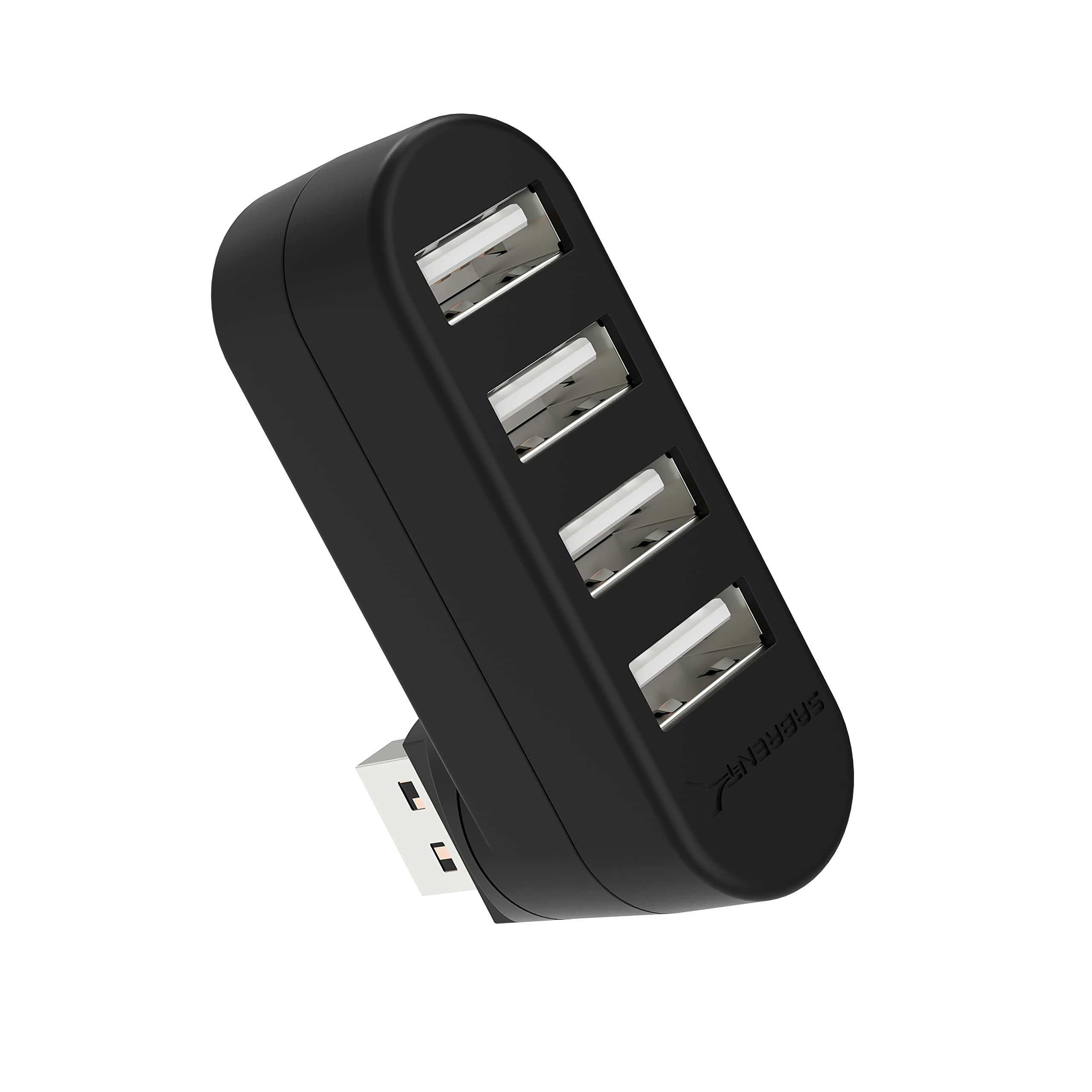
16,000+ ratings
Read Amazon ReviewsSABRENT 4 Port USB 2.0 Hub
A compact option for adding four USB 2.0 connections to a compatible computer, especially when portability and a rotatable connector matter.
- Four USB 2.0 ports provide additional connections for compatible devices.
- Data transfer rate is up to 480 Mbps.
- The USB connector rotates 90 or 180 degrees to accommodate different orientations.
- Plug-and-play setup supports hot swapping and hot plugging.

Pros
- Four ports give one compatible USB connection room for several peripherals.
- Rotating connector can make positioning easier on crowded or awkwardly arranged ports.
Consider before buying
- USB 2.0's maximum 480 Mbps is a constraint for frequent transfers of large files.
- Charging is not supported, so this is not a way to power or recharge connected devices.
Read the full review summary
This hub is built around a straightforward task: turn one compatible USB connection into four.
Its compact plastic body, light weight and plug-and-play setup make it practical for a travel kit or a desk where a keyboard, mouse, flash drive or other basic peripheral needs a shared connection.
The key fit question is speed and power. USB 2.0 supports data transfer rates up to 480 Mbps, and charging is not supported.
That makes the hub best for peripherals and modest data tasks rather than buyers seeking a fast external-drive connection, a charging station or a more feature-rich expansion dock.
The buying factors
SABRENT USB Hub Scorecard
Editorial scores reflect listed features and buyer fit; they are not laboratory measurements or customer ratings.
Port expansion
Adds four USB 2.0 ports through one compatible device connection, a useful gain for basic accessories.
Port flexibility
The connector rotates through 90 or 180 degrees, giving buyers more flexibility in how it meets a device.
Portability
A compact design and one-ounce weight suit travel and small workspaces.
Setup simplicity
Plug-and-play setup and hot swapping support a convenient everyday workflow.
Data speed
The 480 Mbps maximum is appropriate for USB 2.0 tasks but modest for larger transfers.
Charging utility
Charging is explicitly unsupported, limiting its role to connecting peripherals.
Key Features and Specifications of SABRENT USB Hub
- Four USB 2.0 ports provide additional connections for compatible devices.
- Data transfer rate is up to 480 Mbps.
- The USB connector rotates 90 or 180 degrees to accommodate different orientations.
- Plug-and-play setup supports hot swapping and hot plugging.
- Compatible with Windows, Mac and Linux systems.
- Compact plastic enclosure measures 2.3 × 0.7 × 1.7 inches and weighs one ounce.
- Charging is not supported.
Pros and Cons of SABRENT USB Hub
Pros
- Four ports give one compatible USB connection room for several peripherals.
- Rotating connector can make positioning easier on crowded or awkwardly arranged ports.
- Lightweight, compact form is easy to carry alongside a laptop.
- Plug-and-play operation keeps setup simple across common desktop operating systems.
Consider before buying
- USB 2.0's maximum 480 Mbps is a constraint for frequent transfers of large files.
- Charging is not supported, so this is not a way to power or recharge connected devices.
- A compact connector-mounted design may be less suitable when several bulky plugs must fit together; check the spacing of your device's ports and peripherals.
Who Should Buy SABRENT USB Hub?
Good fit
Consider it if you need a basic port expander for a mouse, keyboard, printer, flash drive or similar USB accessory and value portability. Four additional connections can simplify a setup when the host device has limited available ports.
The rotating connector is useful when a fixed orientation would press against a nearby surface or obstruct another connection.
Before buying, check how the USB port is positioned on your computer and whether your connected plugs have enough room around the hub.
It is a better fit for everyday peripherals than for a storage-heavy workflow.
If the devices you plan to attach are compatible with USB 2.0 and do not need charging through the hub, the design keeps the job uncomplicated.
Who should skip it
Look elsewhere if charging phones or other devices through the hub is part of the plan; charging is not supported.
Choose a faster connection if you regularly move large files to external drives or need a multiport dock with additional functions. This model focuses on four USB 2.0 connections and a rotating plug.
What the SABRENT USB Hub Means for Your Setup
Four ports for routine peripherals
The four-port layout is useful when a laptop or desktop has fewer convenient USB connections than the accessories on hand.
It can consolidate basic peripherals around one host port, though all four share the hub's USB 2.0 connection, so it is sensible to keep expectations aligned with that standard's 480 Mbps ceiling.
Rotating connector and placement
A plug that turns 90 or 180 degrees can help orient the hub alongside a laptop or other compatible device.
This may ease placement when a straight extension would stick out awkwardly, but the fit still depends on the host's port location and the size of neighboring plugs.
Portability and setup
At one ounce and just over two inches long, the hub is easy to pack without adding much bulk.
Plug-and-play support and hot swapping suit a simple connect-and-use routine, while broad Windows, Mac and Linux compatibility covers common computer environments.
Know the power and speed limits
This design is for data connections, not charging.
Its USB 2.0 rate is adequate for many input devices and occasional small transfers, but buyers moving large files often should compare faster hub designs and confirm compatibility with their host and peripherals.
Alternatives to SABRENT USB Hub
USB Hubs alternative

2,000+ ratings
Read Amazon ReviewsSABRENT 4-Port USB 3.0 Hub (HB-MC3B)
Choose the reviewed hub if its compact rotatable connector suits your setup and USB 2.0 speed is enough. Consider the cable-based alternative if higher transfer speeds and more flexible placement are more important.
- This four-port alternative uses USB 3.0, supports transfer rates up to 5 Gbps and connects through a 2.5-foot USB 3.0 cable.
- The reviewed model adds four ports, has a rotating connector and supports data rates up to 480 Mbps.
USB Hubs alternative
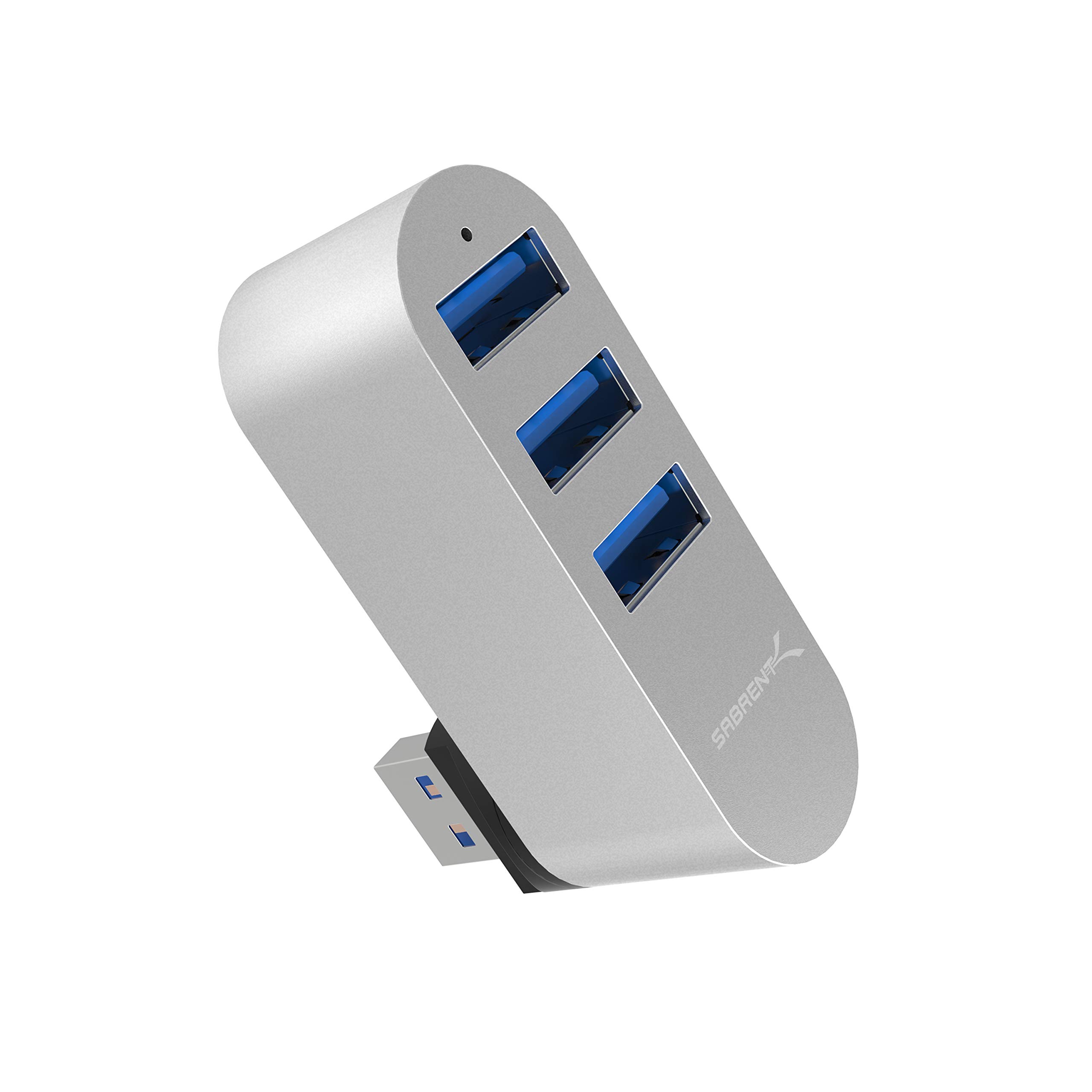
9,000+ ratings
Read Amazon ReviewsSABRENT Premium 3 Port Aluminum Mini USB 3.0 Hub (HB-R3MC)
The reviewed model offers one more port and a simple compact form. The alternative may suit buyers who prefer an aluminum mini hub and USB 3.0 connections, provided three ports are enough for their peripherals.
- This mini hub has three USB 3.0 ports, an aluminum design and a rotatable connector, with compatibility listed for Windows, Mac and Linux.
- The reviewed model provides four USB 2.0 ports in a lightweight plastic design with a rotating connector.
Is SABRENT USB Hub Worth It?
The SABRENT 4 Port USB 2.0 Hub is worth considering when the priority is a small, easy-to-use way to connect four basic peripherals.
Its rotating connector, low weight and straightforward setup make it a practical fit for travel or a compact desk.
Buy it if USB 2.0 speed meets your needs and you do not require charging from the hub.
For frequent large-file transfers or a charging-focused setup, look for a design with the relevant faster data or power features instead.
Your review at a glance
16,000+ ratings
Read Amazon ReviewsSABRENT 4 Port USB 2.0 Hub
A compact option for adding four USB 2.0 connections to a compatible computer, especially when portability and a rotatable connector matter.
- Four USB 2.0 ports provide additional connections for compatible devices.
- Data transfer rate is up to 480 Mbps.
- The USB connector rotates 90 or 180 degrees to accommodate different orientations.
- Plug-and-play setup supports hot swapping and hot plugging.