The best wireless headsets for work make calls easier to manage while fitting the way you move between meetings, devices, and focused tasks. Compare microphone controls, multipoint connections, battery life, and open or noise-reducing designs to find the right fit for your workday.
Quick Top Products
JLab Epic Work ANC
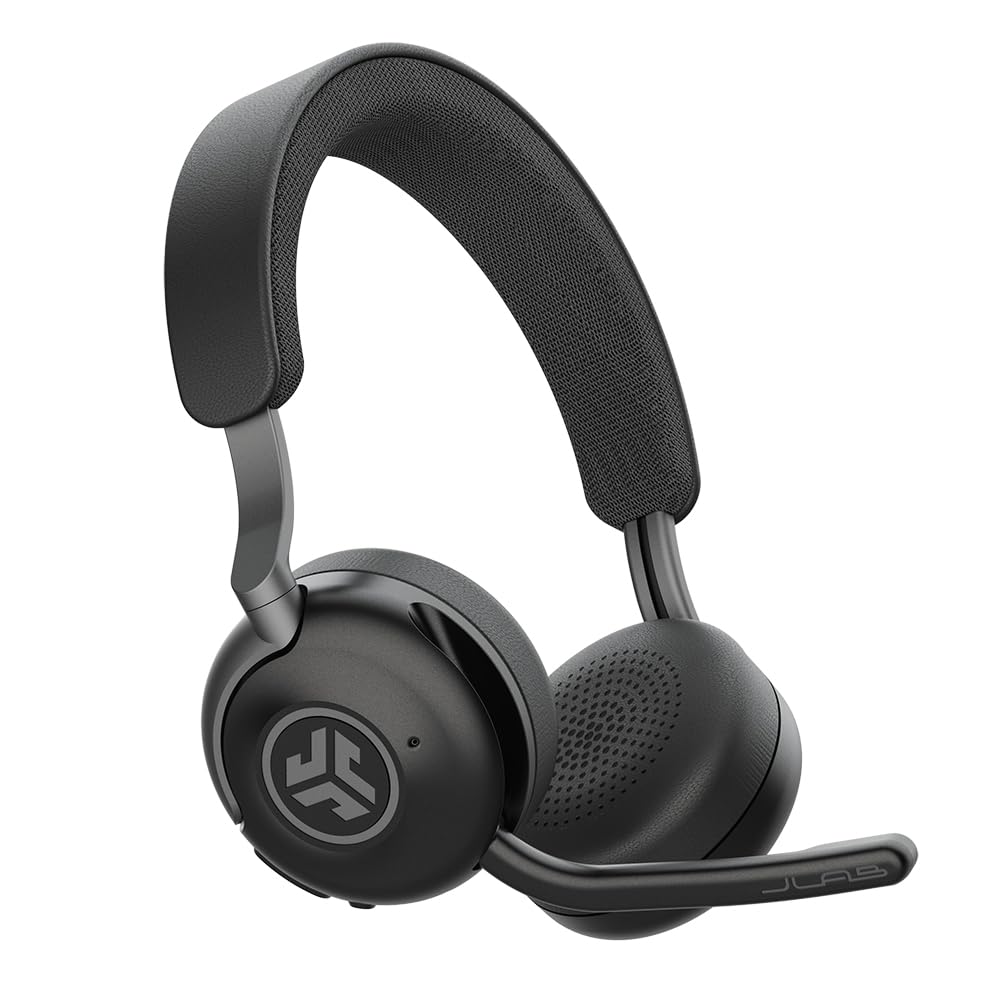
- Up to 90+ hours of wireless playtime, with a charging hub included.
- Active noise cancellation reduces ambient noise by up to 30 dB.
- Multipoint Bluetooth supports switching among several paired devices.
Best For: People who want long battery life, noise reduction, and a charging hub for a desk setup.

SHOKZ OpenMeet
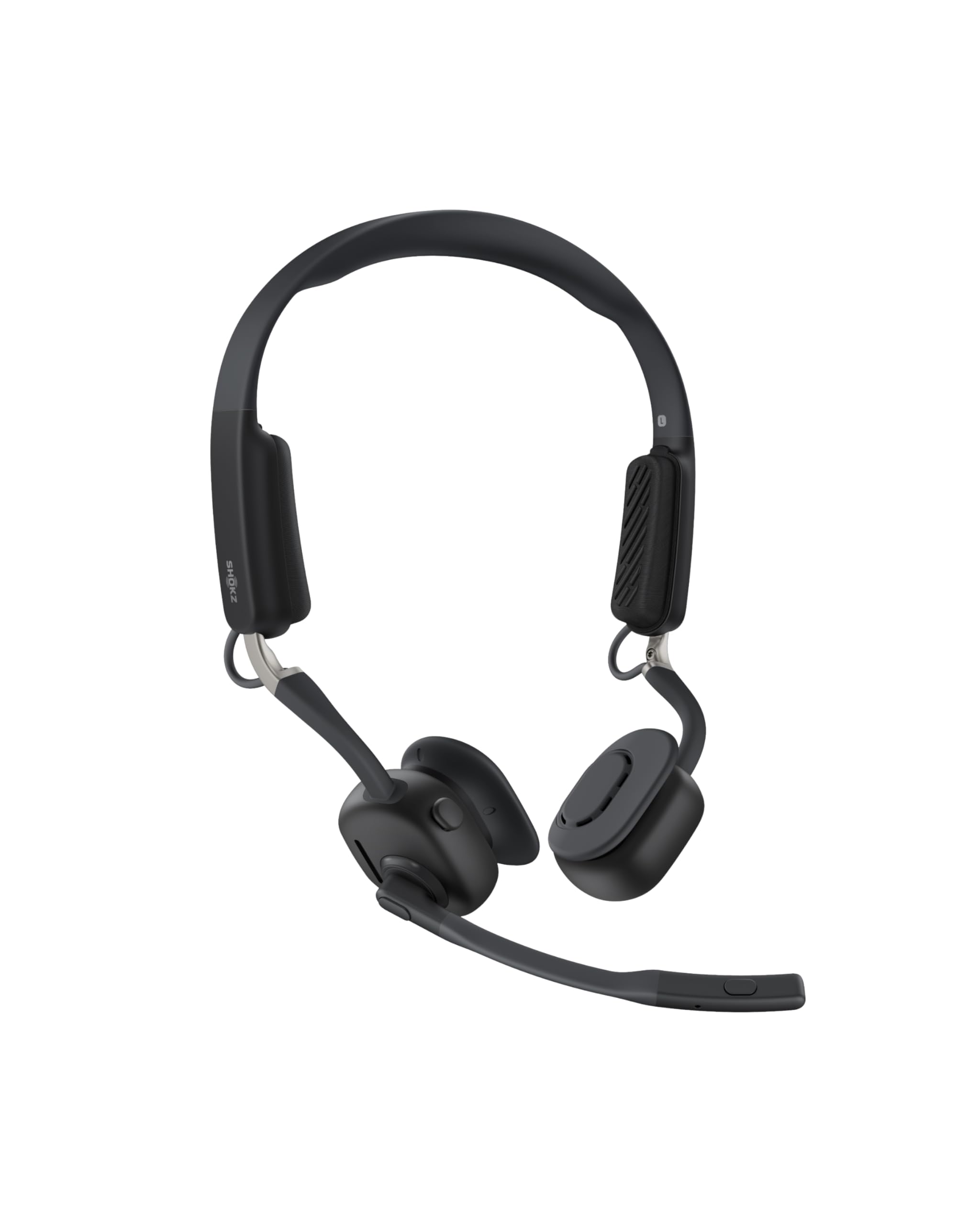
- Open-ear design weighs 78g and includes three temple cushion sizes.
- Dedicated mic button and LED indicator support call management.
- Up to 15 hours of battery life, with a five-minute fast charge for two hours of talk time.
Best For: Workers who need to hear coworkers and surroundings while taking calls on a computer or Mac.
JLab Go Work Pop

- 50+ hours of wireless playtime and Bluetooth multipoint for two devices.
- The rotating boom mic flips up to mute.
- EQ2 includes Voice and Music modes.
Best For: People who want a simple boom-mic headset for meetings, with multipoint pairing and long playtime.
JLab JBuds Work

- Over-ear design, wired or wireless use, and 60+ hours of playtime.
- Bluetooth multipoint can connect two devices simultaneously.
- A red LED at the boom mic indicates mute status.
Best For: Workers who prefer over-ear headphones and want both wireless multipoint and a wired option.
JLab Go Work

- Bluetooth multipoint connects two devices at once.
- Includes a USB-C to 3.5mm cable for wired use.
- 45+ hours of playtime and Cloud Foam earcups.
Best For: People who want an on-ear work headset with a boom mic, multipoint, and a cable option.
JLab Go Lux ANC
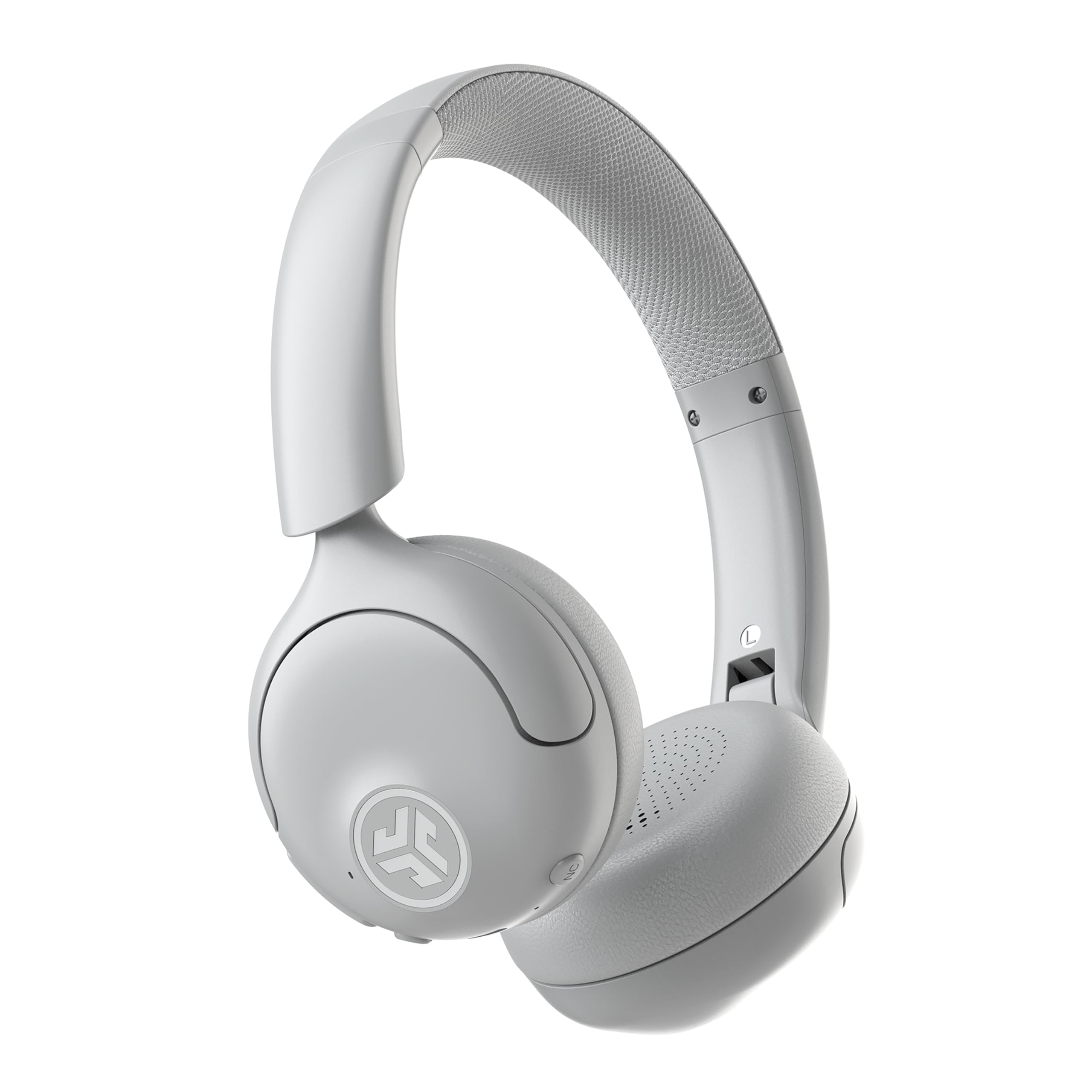
- Hybrid ANC reduces ambient noise by up to 30 dB, with a Be Aware mode.
- Up to 50 hours of playtime and multipoint for two devices.
- The app offers EQ, ANC, and touch-control adjustments.
Best For: Workers who want on-ear listening noise reduction, app controls, and multipoint for two devices.
SteelSeries Arctis Nova 5 Wireless
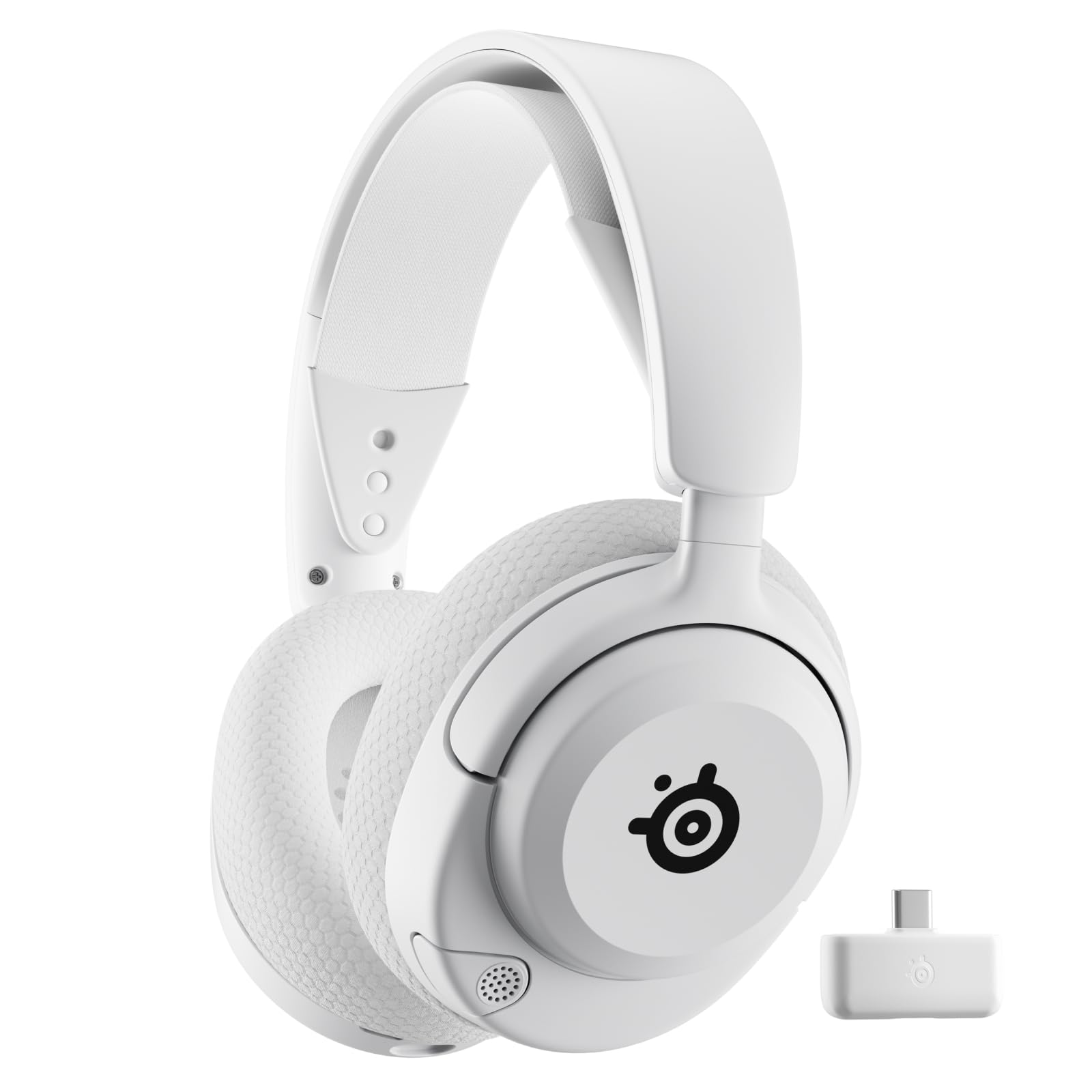
- 60-hour battery with fast charging that provides six hours after 15 minutes.
- Quick-switch wireless toggles between 2.4GHz and Bluetooth 5.3.
- The ClearCast mic retracts when not in use.
Best For: People who use one headset for work calls and gaming or media across several devices.
SteelSeries Arctis Nova 3X Wireless
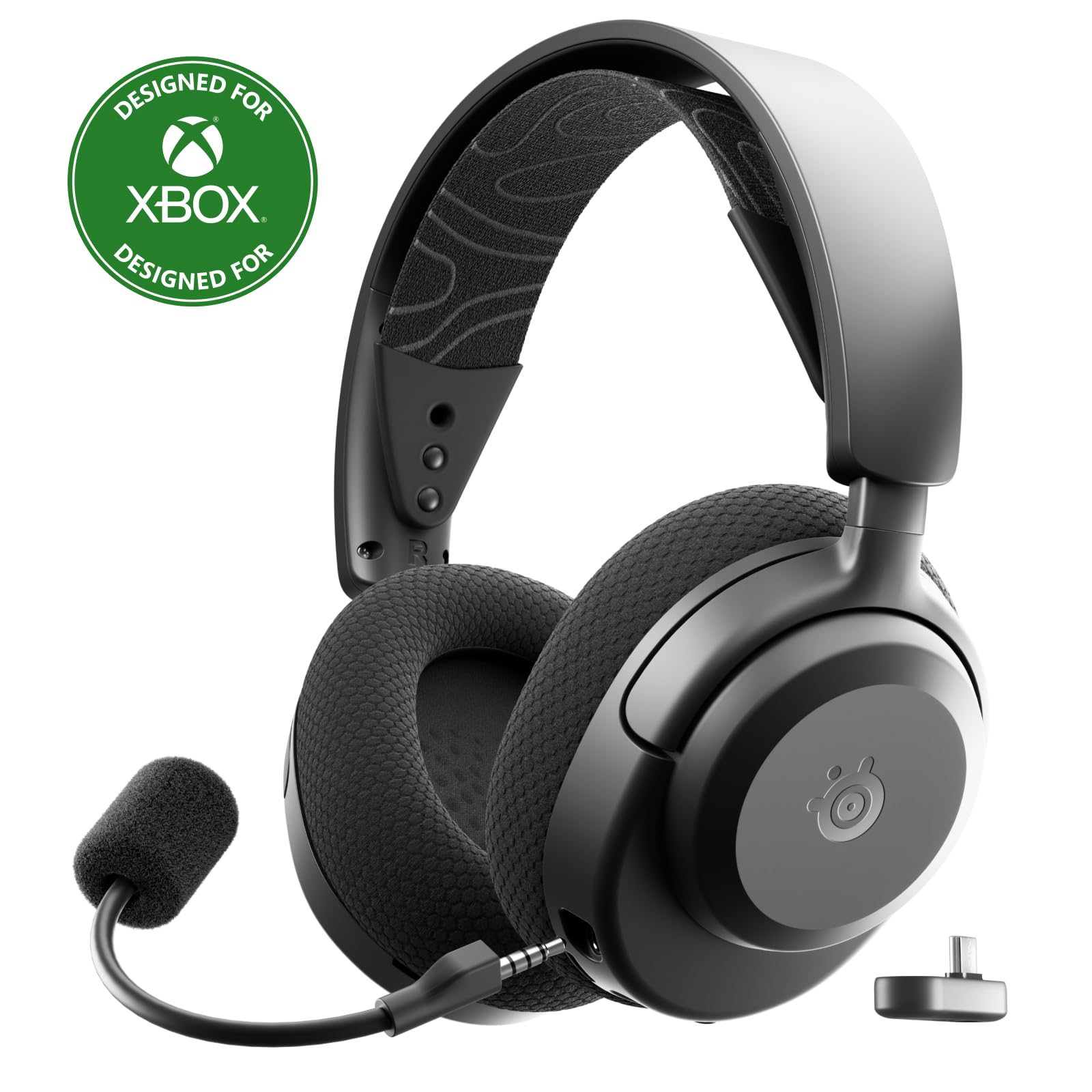
- Weighs 260G and has multiple headband adjustment points.
- Up to 40 hours of battery, with 15-minute fast charging for up to nine hours playback.
- USB-C dongle supports multiple systems.
Best For: Workers who want a lightweight headset with a USB-C dongle and long stated battery life.
Long Battery With a Charging Hub
JLab Epic Work ANC Wireless on-Ear Headset with Microphone, smart Noise Cancellation, multipoint Connect, Charging hub, Black
The JLab Epic Work ANC combines an on-ear design with active noise cancellation and a rotating adaptive microphone. It offers up to 90+ hours of wireless playtime and comes with a charging hub, which can simplify keeping the headset powered between calls.
Multipoint Bluetooth lets it connect to multiple devices at once, such as a computer and phone. Its Be Aware mode helps keep ambient sounds audible, while quick mute and Hear Yourself mode provide call controls.
This is a feature-rich choice for a workday that mixes meetings and listening, though its on-ear fit may not suit everyone for long sessions.
Best For: People who want long battery life, noise reduction, and a charging hub for a desk setup.
| Pros | Cons |
|---|---|
|
|
Choose this headset if you want long stated playtime and a charging hub as part of a desk setup. Its ANC and Be Aware options address different moments: reducing ambient sound during focused work or keeping some surroundings audible.
Check the on-ear fit and whether your devices work well with its multipoint connection before buying. The record does not specify a wired mode or a device limit for multipoint, so those details may matter if your work setup depends on them.
Open-Ear Awareness for Shared Spaces
SHOKZ New OpenMeet - Open-Ear Bluetooth Computer Headset, Noise Cancelling Mic + Mute Button, Bluetooth 5.4 Compatible with PC & Mac, Wireless Work Headphones, Customizable Fit, Smart App - C610
The SHOKZ OpenMeet uses an open-ear design, so work audio does not fully isolate you from your surroundings. It weighs 78g and includes three interchangeable temple cushion sizes with a customizable fit.
Its dual noise-cancelling microphones are designed to reduce background noise on calls, and a dedicated mic button provides mute control. Bluetooth multipoint pairs up to two devices, while the stated wireless range is up to 30m/98ft.
Battery life is up to 15 hours, and a five-minute fast charge provides two hours of talk time. The open design favors awareness over blocking nearby sound.
Best For: Workers who need to hear coworkers and surroundings while taking calls on a computer or Mac.
| Pros | Cons |
|---|---|
|
|
Pick the OpenMeet if hearing people around you is part of the job, such as working in a shared office or staying aware at home. The fit options and low stated weight are relevant for extended wear, while the mic button and LED make mute status easier to manage.
Its up-to-15-hour battery is shorter than some work-focused alternatives here, so consider your charging routine. Confirm that your preferred computer supports Bluetooth and that an open-ear design suits your call environment.
Flip-to-Mute On-Ear Calls
JLab Go Work Pop, On-Ear Wireless Headset, Bluetooth Multipoint, Noise Canceling Boom Mic, Black
The JLab Go Work Pop is a lightweight on-ear wireless headset built around meeting-friendly controls. Its rotating boom microphone flips up to mute and down to activate for calls, giving a visible, physical way to manage microphone use.
The headset offers 50+ hours of wireless playtime and Bluetooth multipoint for connecting to two devices, such as a computer and mobile phone. EQ2 modes switch between voice and music, and the Cloud Foam earcups are intended for longer work sessions.
It has a focused set of everyday work features without adding a charging hub or active noise cancellation for listening.
Best For: People who want a simple boom-mic headset for meetings, with multipoint pairing and long playtime.
| Pros | Cons |
|---|---|
|
|
This is a practical fit if meetings are central and you prefer a physical boom mic that flips up to mute. Its 50+ hours of playtime and two-device multipoint suit a routine that moves between computer calls and phone audio.
It does not have documented listening ANC, so consider the noise level where you work. Check that on-ear headphones are comfortable for your sessions and that Bluetooth is suitable for your computer and phone.
Over-Ear Fit With Wired Option
JLab JBuds Work Wireless Headset with Microphone, Over Ear Computer Headsets, Wired or Wireless Headphones with 60+ Playtime, Multipoint Bluetooth Headset for Laptop Teams, Office with Mic (16 Pack)
The JLab JBuds Work is an over-ear work headset with Bluetooth multipoint and an included USB-C to 3.5mm cable for wired use. It provides 60+ hours of stated worktime, and its boom mic rotates out of the way when you are listening.
For calls, the headset has a mute button and a red LED indicator at the end of the microphone. You can switch between Voice and Music EQ modes, and flipping the microphone down or up manages calls.
The title indicates a 16-pack offer, so check the package quantity carefully if you need an individual headset rather than a group order.
Best For: Workers who prefer over-ear headphones and want both wireless multipoint and a wired option.
| Pros | Cons |
|---|---|
|
|
Consider the JBuds Work if you prefer an over-ear fit and want the flexibility of Bluetooth multipoint plus a wired cable. Its call-focused mic controls and 60+ hour worktime make it suited to regular meetings.
The key purchase check is package size: the product title identifies this offer as a 16-pack, so it may be unsuitable if you want just one. Confirm that the bundle quantity and included cable match your needs before selecting it.
Wired and Wireless On-Ear Flexibility
JLab Go Work Wireless Headsets with Microphone, 45+ Playtime PC Bluetooth Headset and Multipoint Connect to Laptop Computer and Mobile, Wired or Wireless Headphones (1 Pack)
The JLab Go Work combines an on-ear fit with a rotating boom microphone and both wireless and wired listening options. Bluetooth multipoint can connect two devices at once, which is useful when calls shift between a computer and a phone.
Its stated playtime is 45+ hours, and the headset includes a USB-C to 3.5mm cable for wired use. Dual microphones are used for calls, while a red LED at the boom mic indicates when mute is active.
The physical controls cover calls and audio playback, and two EQ modes provide separate Work and Music settings. It balances straightforward call controls with connection flexibility.
Best For: People who want an on-ear work headset with a boom mic, multipoint, and a cable option.
| Pros | Cons |
|---|---|
|
|
Choose the Go Work if you want practical meeting controls and a wired fallback, but do not need a more specialized open-ear or ANC design. Multipoint keeps two devices connected, while the mic LED and rotating boom help manage calls.
The 45+ hour figure is ample for many work routines, but it is below the playtime stated for some other picks in this guide. Check the on-ear fit and whether its included cable suits your computer or audio connection.
Listening ANC and Customizable Controls
JLab, Go Lux ANC, On Ear Headphones, Active Noise Cancelling, Bluetooth MultIPoint, Cloud White
The JLab Go Lux ANC is an on-ear wireless headphone option for work calls, music, and commutes. Hybrid active noise cancellation reduces ambient noise by up to 30 dB, while Be Aware mode lets surrounding sound in when needed.
It offers up to 50 hours of playtime and multipoint connectivity for two devices. The JLab app can customize EQ, adjust ANC and Be Aware levels, remap touch controls, and set safe hearing limits.
Cloud Foam earcups and headband address comfort, though the record does not describe a dedicated boom microphone. Consider it when listening focus and device flexibility matter alongside calls.
Best For: Workers who want on-ear listening noise reduction, app controls, and multipoint for two devices.
| Pros | Cons |
|---|---|
|
|
This option fits workers who want listening ANC and app-adjustable controls, especially when they also use the headphones for commuting or music. Multipoint supports two devices, and Be Aware mode offers a way to hear more of your environment.
It is less clearly call-specialized than the JLab models with a rotating boom mic, since a dedicated boom is not specified here. Check the microphone arrangement and computer call compatibility if clear voice pickup is your top priority.
Long Runtime With Quick Wireless Switching
SteelSeries Arctis Nova 5 Wireless Multi-System Gaming Headset — White — Neodymium Magnetic Drivers — 100+ Audio Presets — 60 HR Battery — 2.4GHz or BT — Gen2.X Mic — PC, PS5, PS4, Switch, Mobile
The SteelSeries Arctis Nova 5 Wireless is a multi-system headset whose features span work calls, gaming, and general listening. It has a 60-hour battery, USB-C fast charging, and quick switching between 2.4GHz wireless and Bluetooth 5.3.
Its fully retractable ClearCast microphone supports calls, while the companion app offers 100+ audio presets aimed at games. The USB-C dongle supports several device types, including PC, PlayStation, Switch, phones, and tablets that support USB-C.
This breadth is useful for someone sharing a headset across work and entertainment, but its gaming-oriented presets may matter less to a call-only buyer.
Best For: People who use one headset for work calls and gaming or media across several devices.
| Pros | Cons |
|---|---|
|
|
Pick the Nova 5 if your work headset also needs to serve gaming or media use across supported devices. Its quick switch between 2.4GHz and Bluetooth and its retractable mic help it shift between those roles.
The game presets and spatial audio features may add little if you mainly take office calls, so a work-focused boom-mic headset could be a better match. Confirm your device supports the dongle or Bluetooth connection you plan to use.
Lightweight Multi-System Headset
SteelSeries Arctis Nova 3X Wireless Multi-Platform Gaming Headset — Mobile App Control — 40 HR Battery — Neodymium Magnetic Drivers — 2.4GHz/Bluetooth — Xbox, PS5, PC, Switch, Mobile — Black
The SteelSeries Arctis Nova 3X Wireless is a multi-platform gaming headset that can also handle general wireless audio and calls. It weighs 260G, has a stretchy headband with multiple adjustment points, and uses a USB-C dongle for switching among supported systems.
The battery lasts up to 40 hours, with fast charging that provides up to nine hours of playback from 15 minutes. Its mobile app offers 200+ game presets, a feature more relevant to gaming than office meetings.
For work, its appeal is the cross-device connection and adjustable fit; the product record does not specify a boom mic or work-call controls.
Best For: Workers who want a lightweight headset with a USB-C dongle and long stated battery life.
| Pros | Cons |
|---|---|
|
|
Consider the Nova 3X if you need a multi-system headset and value its stated weight, adjustable fit, and fast charging. Its gaming focus means the app presets are not the main reason to choose it for office work.
The supplied facts do not identify the microphone style or a mute control, so verify those details if frequent calls are central to your workday. Also check that your computer supports the USB-C dongle or another included connection method.
How to Choose Wireless Headsets For Work
How We Picked Wireless Headsets for Work
The strongest fits in this group have features that map directly to common work needs: a microphone designed for calls, visible or physical mute controls, multipoint pairing, or a wired fallback. JLab's Go Work and JBuds Work combine rotating boom mics with call controls, while the SHOKZ OpenMeet offers an open-ear design for people who need to hear a shared space.
Some candidates are general-purpose or gaming headsets with microphones, but their supplied details concentrate on entertainment features. The picks here therefore favor products with explicit work or call features, while including a few multi-use models when battery life, device switching, or noise management may be useful during work.
Comparing Wireless Work Headsets
The biggest difference is how each headset handles the room around you. SHOKZ OpenMeet keeps ears open, whereas the JLab Go Lux ANC and Epic Work ANC offer listening noise reduction with Be Aware modes.
The JLab Go Work Pop and Go Work prioritize call controls and a boom mic, with less emphasis on isolating listening.
Connection flexibility also varies. The Go Work and JBuds Work include a cable for wired listening, while several SteelSeries picks rely on a USB-C dongle or Bluetooth.
Multipoint pairing is useful if calls move between a computer and phone; check the stated device limit, since OpenMeet and the JLab Go Work Pop specify two devices.
| Product | Standout features | Best for |
|---|---|---|
| JLab Epic Work ANCCheck Price |
| People who want long battery life, noise reduction, and a charging hub for a desk setup. |
| SHOKZ OpenMeetCheck Price |
| Workers who need to hear coworkers and surroundings while taking calls on a computer or Mac. |
| JLab Go Work PopCheck Price |
| People who want a simple boom-mic headset for meetings, with multipoint pairing and long playtime. |
| JLab JBuds WorkCheck Price |
| Workers who prefer over-ear headphones and want both wireless multipoint and a wired option. |
| JLab Go WorkCheck Price |
| People who want an on-ear work headset with a boom mic, multipoint, and a cable option. |
| JLab Go Lux ANCCheck Price |
| Workers who want on-ear listening noise reduction, app controls, and multipoint for two devices. |
| SteelSeries Arctis Nova 5 WirelessCheck Price |
| People who use one headset for work calls and gaming or media across several devices. |
| SteelSeries Arctis Nova 3X WirelessCheck Price |
| Workers who want a lightweight headset with a USB-C dongle and long stated battery life. |
Choosing a Work Headset for Calls and Meetings
For a call-heavy schedule, focus on microphone placement and mute behavior. A rotating boom mic gives a clear physical control point: the Go Work Pop flips up to mute, while JBuds Work has a mute button and an LED indicator.
The Epic Work ANC adds quick mute and Hear Yourself mode. The Go Lux ANC has touch controls and app settings, but a dedicated boom mic is not specified.
Also consider whether coworkers or household members need to get your attention. An open-ear headset can preserve awareness, while ANC can help reduce ambient noise during listening.
Be Aware modes provide a middle ground on the ANC models, but their presence does not establish that every voice or sound will come through clearly.
Battery, Fit, and Device Setup for Remote Work
Long stated battery life can reduce charging interruptions, but the figure is not the only fit question. The Epic Work ANC and Go Work Pop emphasize long runtimes; OpenMeet instead lists up to 15 hours and a quick-charge option.
Consider your workday length and where you can charge between sessions.
Fit and connection should match your actual setup. The JLab JBuds Work is over-ear and includes a cable, while the Go Work models are on-ear.
SHOKZ offers interchangeable temple cushions and keeps the ears open. For a headset with a USB-C dongle, make sure your computer supports that connection or the required adapter.
Who Should Buy Which Wireless Work Headset?
Choose the SHOKZ OpenMeet if staying aware of people nearby matters most. Pick the JLab Go Work Pop for a flip-to-mute boom mic and two-device pairing, or the Go Work if you also want an included wired cable.
The JBuds Work suits buyers who prefer an over-ear design, provided the 16-pack offer matches their needs.
For desk charging and a long stated runtime, consider the JLab Epic Work ANC. Choose the Go Lux ANC when listening noise reduction and app controls are more important than a documented boom mic.
The SteelSeries Nova 5 or Nova 3X may suit people who also game or use multiple entertainment systems, but check microphone and mute details before relying on them for frequent work calls.